











VideoAI channel trailer maker workspace with a channel name, logo, storyboard, and preview

Build Your Channel Intro

Channel Trailer Maker

With VideoAI, the channel trailer maker shapes a clear channel introduction from your idea, media, and storyboard while you control timing, text, aspect ratio, and output format.

Partnering with global industry leaders to power your creativity output

  • Veo
  • Nano Banana
  • Kling
  • Upscale
  • Seedream
  • Ideogram
  • ChatGPT
  • Flux
  • Qwen
  • Midjourney

Plan your channel trailer maker brief

Start with the viewer decision you need to guide, then choose the material and format that support it.

Welcoming creator channel trailer filmed in a bright personal studio

YouTube Channel Trailer

When a new YouTube channel needs to explain its subject and give viewers a reason to subscribe, use VideoAI with a topic, logo, and reference media to shape a focused YouTube channel trailer with a clear opening, title, and subscription prompt.

New episodic series opening with a clear cinematic visual rhythm

Launch A New Series

A series launch calls for an opening that sets pace before the first episode. Combine written direction with images, video, or audio, then arrange each scene in the channel trailer maker so the final intro matches the planned rhythm.

Creator in a refreshed studio identity with coordinated visual details

Refresh A Channel Identity

When a creator refreshes a channel identity, they can bring the new name, logo, and visual direction into one opening. Describe the look or begin with a template, and the channel trailer maker turns those choices into a consistent introduction.

Campaign opening adapted to horizontal square and vertical placements

Adapt A Campaign Intro

A campaign team may need one concept for several placements. Choose 16:9, 9:16, 1:1, or 4:5, then use the channel trailer maker to shape the same message for a horizontal or social format and download the finished 4K MP4.

See where a channel trailer maker fits

New channel creator planning a tutorial intro with notes, logo, and storyboard frames

New Channel Creators

If a new channel creator starts with a tutorial or discussion topic, they can explain the reason to subscribe and upload a logo or reference image. VideoAI keeps the opening, title, and scene timing in view as the channel trailer maker takes the idea to a reviewable draft.

Independent creator arranging channel clips, titles, and a subscription prompt

Independent Channel Operators

An independent channel operator can turn recorded clips, a channel name, and a planned call to subscribe into a focused intro. The channel trailer maker lets them decide shot timing and refine the generated result with a text instruction.

Small brand team reviewing a logo led channel intro in several video formats

Small Brand Teams

A small brand team can describe its channel position, add a logo, and place the brand name and subscription prompt in the frame. VideoAI gives the team a channel trailer maker workflow that supports a chosen aspect ratio and 4K MP4 output.

Shape more with a channel trailer maker

Choose the starting point, the visible details, and the delivery format that fit your audience.

VideoAI template picker showing channel intro layouts and a custom opening option

Start From A Template

VideoAI offers a preset opening when you want a clear starting structure. Select it, or describe the channel position, opening pace, and visual direction yourself, so the channel trailer maker begins with choices you can review.

Storyboard timeline with timed scenes, channel text, and a subscription prompt

Set The Opening Rhythm

A shot by shot timeline keeps the opening pace in your hands. Decide each scene's duration and action by the second, then use the channel trailer maker to generate from that storyboard and refine the result with a text instruction.

Channel logo, name, title, and subscription prompt arranged in a video frame

Bring Channel Details Into Frame

Place the channel name, subscription prompt, title, and logo alongside the visual direction. The generated frames carry those details as part of the opening, giving VideoAI a clear brief for the channel trailer maker.

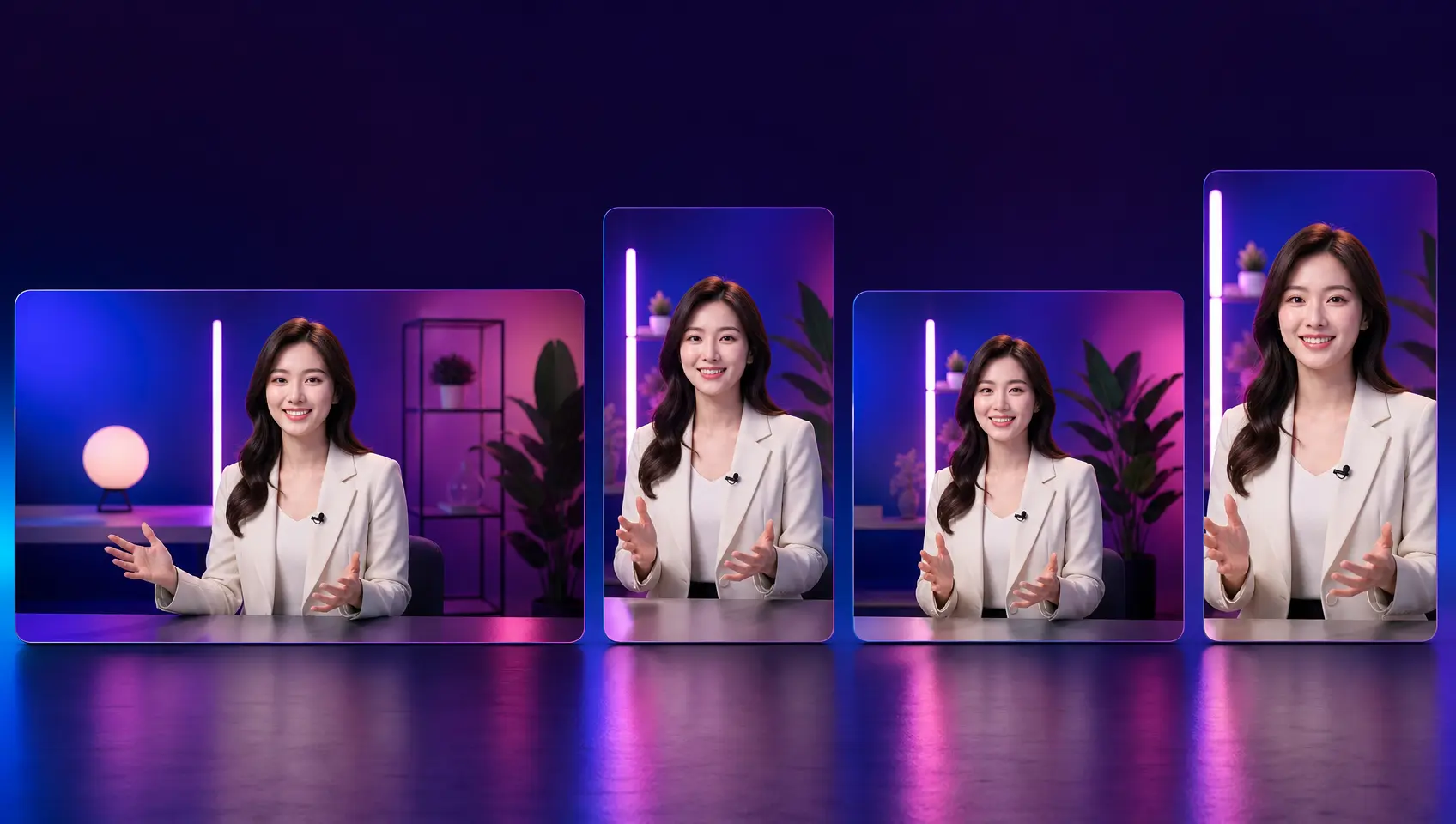
4K MP4 channel trailer previews in 16:9, 9:16, 1:1, and 4:5 formats

Choose The Delivery Format

Select 16:9, 9:16, 1:1, or 4:5 according to the placement you need. Download the generated channel trailer as a 4K MP4, with VideoAI keeping the selected ratio for a channel page or social post.

Turn Your Brief Into A Channel Trailer

Move from the channel idea to a reviewable video through three deliberate decisions.

Channel topic, logo, reference media, and audio ready in a VideoAI workspace

Step 01

Describe The Channel And Goal

Write the channel topic and the purpose of the trailer, then upload a logo, reference image, video clip, or audio track. VideoAI keeps these materials in your workspace so the channel trailer maker can use the same brief when generating.

Storyboard with channel name, title, subscription prompt, and timed scenes

Step 02

Set Shots, Text, And Timing

Choose a preset opening or describe the first scene in detail. Add the channel name, title, subscription prompt, and logo, place the CTA where it belongs, and decide the timing and action for each shot.

Generated 4K MP4 channel trailer preview with a selected social video ratio

Step 03

Generate, Refine, And Download

The channel trailer maker generates the trailer from your storyboard and supplied material. Review it, give VideoAI a text instruction for any change, then download the 4K MP4 in the confirmed 16:9, 9:16, 1:1, or 4:5 ratio.

Questions Before You Create

Start with the channel topic, the reason viewers should subscribe, the opening pace, and the visual details that matter. Add a logo, reference image, video clip, or audio track when it helps the channel trailer maker understand the intended result.

Describe the channel subject and intended opening, then combine text, images, video, or audio. The channel trailer maker follows your storyboard and produces a YouTube intro you can review.

Add the logo, channel name, title, and subscription prompt as visual elements while setting the storyboard. VideoAI places these choices within the generated opening so the result reflects the identity you described.

Select a preset intro to establish a starting structure, or describe the channel position, opening pace, and visuals from the beginning. Both routes feed the same storyboard based workflow.

After the first result, give a text instruction that names the change you want, such as a different opening emphasis or scene direction. VideoAI uses that instruction to refine the generated trailer.

Choose 16:9, 9:16, 1:1, or 4:5 for the intended placement, then download the generated video as a 4K MP4.
Create A Channel Trailer With VideoAI creative video scene ready to generate with VideoAI

Create A Channel Trailer With VideoAI

Bring your topic, visual references, and storyboard to VideoAI, then shape the final video for your channel or social placement.

Get Started
Channel Trailer Maker - YouTube Channel Trailer - VideoAI