Free Microsoft Sam text to speech: type any script, pick a voice, and the AI voice generator reads it back in seconds. Play a TTS sample below — no sign-up to preview.
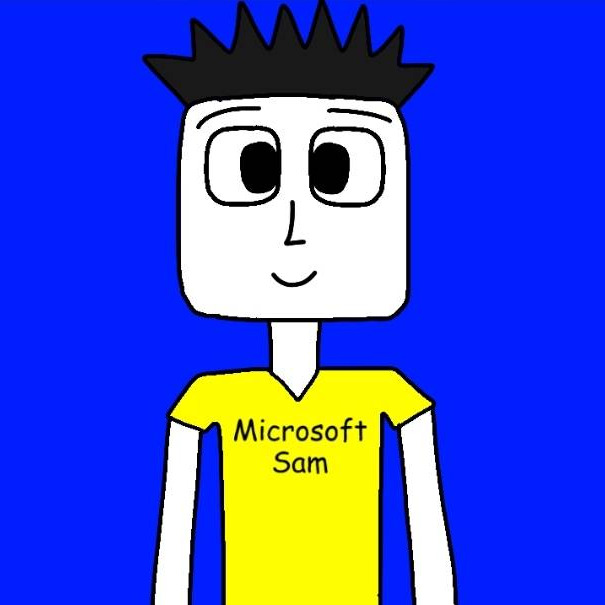
Microsoft SAMby Hariz Danish (PmAA) · 1K plays on VideoAI · English
Free text to speech preview · 3,317 AI voices · MP3 download · no sign-up to listen
More AI Voice Models Similar to Microsoft Sam
Character, announcer, and narration voice models from the VideoAI text to speech library that creators reach for alongside Microsoft Sam. Play the sample on any card, then open that AI voice generator page and write your own script.
Microsoft sam
1K plays
MaleOld
“Observation complete. A small dog has successfully retrieved a blue ball from the grass. Its human companion appears pleased. Weather conditions remain suitable for walking, and the nearby ducks have declined to participate. I classify this afternoon as a highly productive recreational event.”
“System ready. Today's forecast includes a comfortable chair, a fresh cup of tea, and several unfinished tasks. Please select your preferred activity. If no selection is made, the computer will assume that watching another funny video is an essential part of the workflow.”
“Attention, user. The requested snack has not been found in the current folder. Please check the kitchen directory and try again. If the problem persists, restart your afternoon with a glass of water and a short walk. No further troubleshooting is required.”
“It is the simple things I remember most: your laugh during a quiet evening, the stories we tell on long walks, and the kindness you bring to ordinary moments. Those little memories make the world feel warmer, and I am grateful we get to share them.”
“Welcome to the snack inspection station. Today's menu includes crunchy noodles, a suspiciously square tomato, and something labeled mystery pudding. The noodles pass inspection. The tomato requires further study. As for the pudding, I recommend letting someone else taste it first.”
“Welcome back to the desktop. Your documents are organized, your music is ready, and one tiny notification has decided to remain visible forever. I have examined the situation carefully. The best solution may be to ignore it and enjoy the rest of your day.”
“Why does every notification arrive the moment I start concentrating? I close one window, and three more appear. The calendar wants attention. The printer has questions. Even the weather app has an opinion. Please, computer, I am only trying to finish one sentence.”
“Greetings, curious travelers. Our imaginary spaceship is ready for departure, provided someone remembers where we parked it. The navigation system suggests the moon. The captain suggests lunch. I will calculate a sensible compromise while you choose the soundtrack for our next adventure.”
“Welcome to the afternoon broadcast. We begin with a look at the community garden, where the first sunflowers have opened after a week of rain. Later, we will hear from the volunteers who helped bring this quiet corner of the neighborhood to life.”
“When sunlight enters a glass prism, different colors bend by slightly different amounts. The white beam separates into a bright band of colors, revealing something that was there all along. A simple piece of glass can turn an ordinary patch of light into a small science lesson.”
“I opened the news this morning and found a photograph of a cat riding in a miniature train. I had several questions, and none of them were answered by the headline. Where is it going? Who bought the ticket? And why does it look more organized than I am?”
Three steps from an empty text box to a downloaded Microsoft Sam TTS file — no editing skills needed.
1
Select the Microsoft Sam AI voice
Start from this page or browse the AI voice library, then keep the Microsoft Sam voice selected for your script.
2
Type or Paste Your Text
Drop your script into the text to speech box, then fine-tune speed, volume, and expressiveness before you render.
3
Text to Speech
Hit generate and the AI voice generator returns your Microsoft Sam TTS in seconds - play it, download the MP3, drop it on a timeline.
What Creators Make with the Microsoft Sam AI Voice
Every clip below starts the same way: type a line, pick the voice, let the text to speech engine do the rest.
Funny Error Readouts
Turn fake system popups, broken menu prompts, and awkward warning messages into short comedy bits. Microsoft Sam gives the gag a stiff retro TTS delivery, then you can export the finished MP3 for editing.
Retro Narration Clips
For throwback explainers, channel updates, or intentionally plain narration, Microsoft Sam brings the familiar computer-room cadence. Write the bit in TTS, render an MP3, and layer it under old desktop visuals.
Meme Sign Readings
Creators still use absurd signs, typos, and caption screenshots as setup material. Microsoft Sam reads them with flat timing through TTS, while the MP3 drops cleanly into YouTube shorts or reaction edits.
SOI Joke Shorts
Build quick clips around the classic mispronunciation gag and stiff delivery that made the voice memorable. Microsoft Sam keeps the joke recognizable in TTS, and the MP3 is ready for fast meme assembly.
Discover More Male, Old, and Conversational Voices
Explore more voices in the same language surrounding this catalog entry.