
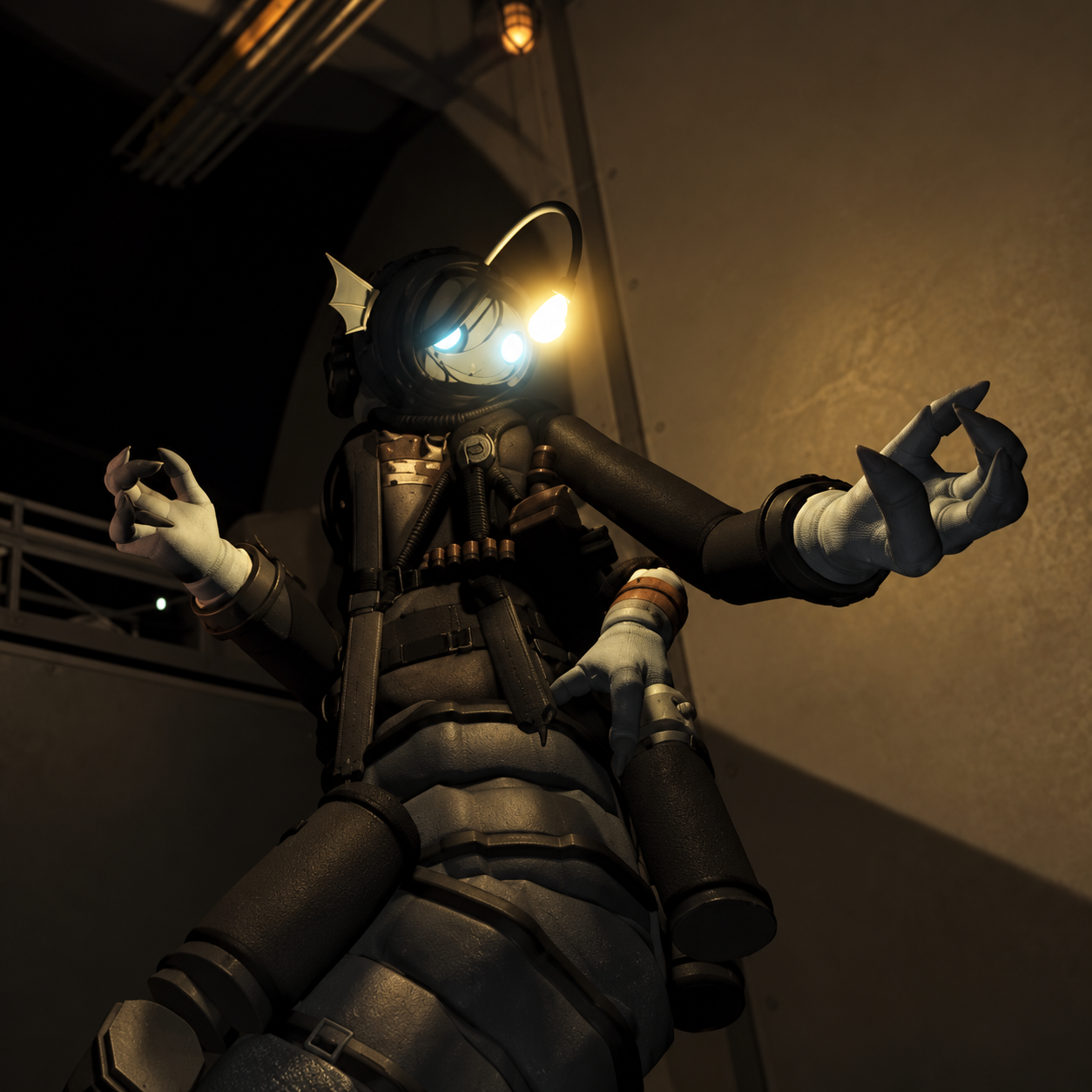
Sebastian Solace
7K plays
“Back again, are you? Try keeping your feet under you this time. It makes the whole place much easier to navigate.”
0:00

Free Sebastian Solace text to speech: type any script, pick a voice, and the AI voice generator reads it back in seconds. Play a TTS sample below — no sign-up to preview.
Free text to speech preview · 3,317 AI voices · MP3 download · no sign-up to listen
Character, announcer, and narration voice models from the VideoAI text to speech library that creators reach for alongside Sebastian Solace. Play the sample on any card, then open that AI voice generator page and write your own script.
7K plays
“Back again, are you? Try keeping your feet under you this time. It makes the whole place much easier to navigate.”

4K plays
“Well, look at you, still wandering around after all this time. I expected you to be tired by now, but perhaps you’ve got more patience than I thought. Take a moment, find a quiet corner, and get some rest. Tomorrow will be much easier if you give yourself a chance to recharge.”

3K plays
“Well, back on your feet already? While you were catching your breath, I found a few useful odds and ends. Nothing fancy, but they might make the next stretch a little easier. Take a look around, see what catches your eye, and we’ll get moving when you’re ready.”

3K plays
“Searching for the old map? Try the cabinet beside the window, on the second shelf. The drawer sticks a little, so ease it open rather than tugging. Once you find the map, please put everything back where it belongs. It saves us both a great deal of trouble.”

2K plays
“Right, your briefing is ready. I’ve arranged the notes in a wonderfully clear order, which should make the details rather difficult to miss. Do take a moment to read them before we begin. I’m sure you’ll manage just fine, provided you give the instructions your full attention.”

2K plays
“Well, now, that is an interesting discovery. You have uncovered a rather unusual corner of the archive, filled with notes nobody thought to revisit. I would be careful about drawing conclusions too quickly. A mystery is far more entertaining when you take your time and notice the little details.”

771 plays
“Oh, fantastic. Another mysterious hallway, another flickering light, and absolutely no helpful signs. If you hear a strange noise, don’t panic—just pause, take a breath, and check your map. Or ignore my advice and sprint into the darkness. That’s entertaining too, I suppose!”

816 plays
“Well, well, where are you off to in such a hurry? I was hoping we could have a calm little chat. No need to rush; there’s plenty to notice around here. Ah, I’m getting carried away again. Let’s take it easy, keep things friendly, and enjoy a quiet moment together.”

558 plays
“Look who finally found the right corridor. That map must be doing wonders for you. I’ve been watching you circle the same hallway for ages, and honestly, it’s impressive in its own way. Take your time; the exit isn’t going anywhere just yet.”

590 plays
“Things rarely go exactly as planned, do they? There’s a certain charm in watching a neat little schedule turn into a lively surprise. Still, it pays to pause before joining the commotion. Take a moment to observe, gather your thoughts, and decide what actually needs doing. That’s my advice, for today.”

444 plays
“There’s always more to a place than meets the eye. A quiet hallway, a locked drawer, a light flickering at the end of the corridor. Curiosity can be tempting, but some discoveries are better made slowly. Take a breath, look around, and see what the shadows reveal.”



Three steps from an empty text box to a downloaded Sebastian Solace TTS file — no editing skills needed.
 1
Start from this page or browse the AI voice library, then keep the Sebastian Solace voice selected for your script.
 2
Drop your script into the text to speech box, then fine-tune speed, volume, and expressiveness before you render.
 3
Hit generate and the AI voice generator returns your Sebastian Solace TTS in seconds - play it, download the MP3, drop it on a timeline.
Every clip below starts the same way: type a line, pick the voice, let the text to speech engine do the rest.
Add Sebastian Solace TTS to a Pressure gameplay recap, then export an MP3 for the point where your edit shifts from gameplay footage to a character-focused retelling.

Draft a short fan scene set in Pressure with Sebastian Solace TTS. Save the read as an MP3 and place it under a rough animation to check dialogue pacing.
For a Roblox roleplay exchange based on Pressure, write Sebastian Solace TTS replies and export them as MP3 files. Arrange the replies against other lines to build a conversation.

Between Pressure gameplay clips, use Sebastian Solace TTS for a short character-focused line. Save the MP3 and align it with captions to connect the moments in a fan edit.
Explore more voices in the same language surrounding this catalog entry.












Commercial use, pricing, voice cloning, speed, file format and length limits for the Sebastian Solace AI voice generator.

Yes — paid plans include commercial rights; these community-made AI recreations are not affiliated with the original rights holders.
Previews are free to play, and new accounts get free credits for their first text to speech run.
YouTube videos, TikToks, memes, podcasts, audiobooks, game mods — anything that needs a voiceover.
Yes, upload 30 seconds to two minutes of clear audio and voice cloning builds a profile in your own voice.
A few seconds for short lines; longer scripts take a little more.
Every download is an MP3 file.
Up to 10,000 characters per generation — split longer scripts into parts.
Free to preview. Your first Sebastian Solace text to speech takes about a minute from paste to MP3 download.