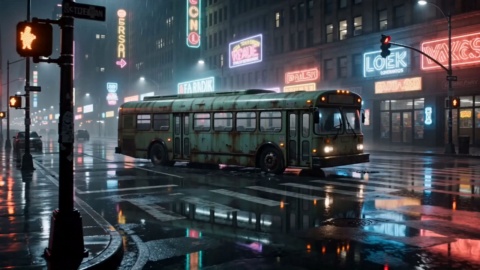
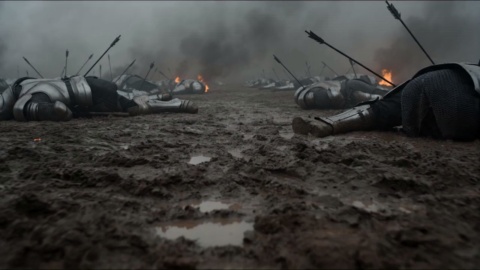
What is GPT Image 2 and who made it?
It is an image generation and editing model from OpenAI, released in April 2026. The openai GPT Image 2 release focuses on placing what you describe where you asked for it, rendering readable wording inside the picture, and holding a structured layout together across diagrams, posters and comic panels.
Is chatgpt images 2.0 the same model under another name?
Yes, those are two names for one model. You may also see it written in lowercase as GPT Image 2. This page uses that spelling throughout so there is no confusion about which release you are picking.
How to use GPT Image 2 for a poster or infographic?
Write the exact wording you want printed on the graphic together with the layout you have in mind, choose your aspect ratio, and generate. Treating the prompt like a brief to a designer, copy first and structure second, gives the closest result on the first pass.
Can GPT Image 2 edit images I already have?
It can. Upload the file, then describe the change in plain language: a new background for a shop listing, a different season behind the product, one reworded line on the packaging. Generation and editing both run through this GPT Image 2 photo editor, so nothing needs uploading again elsewhere.
How well does GPT Image 2 text in images actually hold up?
Text rendering improved in this release and supports multiple languages, so headlines, chart labels, interface captions and comic dialogue tend to come out clearly legible. Long or unusual strings still deserve a look before you publish, which is why spelling them out in the brief helps.
Can it produce charts and labelled diagrams, not only illustrations?
Structured visuals are a strength here. OpenAI points to diagrams, infographics, charts, posters and comics as work this GPT Image 2 image generator handles, which covers newsletter graphics, explainer visuals and carousel cards.
What resolution and aspect ratios come back?
Output arrives at high resolution, and on VideoAI you can select 1:1, 4:3, 16:9 or 9:16 before generating. Choosing the ratio that matches your publishing slot keeps the layout intact instead of forcing a crop through the middle of a label.
Is GPT Image 2 free to try, and do I need an account?
New users get 10 credits at no cost on VideoAI, and that starter balance covers this model directly. Signing in is required before you generate. Once the credits run out you can top up with a credit pack or move to a subscription plan.
Are the results watermarked, and can I use them for client work?
Nothing carries a watermark, including images made with the starter credits, and you can download them straight away in common image formats. Commercial use is permitted, so newsletter graphics, shop listings and client deliverables are all fine.