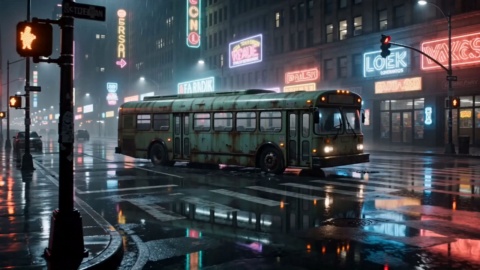
Drop In Prompt And References
Write a prompt, then upload references as needed: up to 9 images, 3 videos and 3 audio files, or set a start frame and an end frame. First time out, remember reference audio has to be paired with an image or video.
Feed in text, an image, a video or audio and get a finished 2K clip at 24 fps.
Real creator workflows, from narrative openers to vertical product ads.
Leather And Fur Close-Up
Fashion Film
Popup Character Poster
Motion Poster
Binocular Brand Reveal
Brand Promo
Sunlit Kitchen Still Life
Product Film
Night Rush Title Sequence
Cinematic Promo
Firelight Leather Jacket
Product Film
Gothic Manor Encounter
Cinematic Promo
Vertical Short Drama
Entertainment Promo
Four capabilities that decide how your footage becomes a finished clip.
Add up to 9 reference images, 3 reference videos and 3 reference audio files in a single generation, capped at 12 files total, so your character sheets, mood boards and existing takes all feed in without splitting the job into steps. Reference audio needs an image or video alongside it.
Hand Hailuo 3 a clip you already shot or generated, then type one instruction to change the action or setting inside it. This Hailuo 3 video editing route reshapes footage from a prompt instead of a reshoot.
Every clip generates at 2K and 24 fps, which drops the separate upscaling pass. Ratios run from 21:9 through to 9:16 plus adaptive, so a widescreen cut for YouTube and a vertical one for Shorts come from the same Hailuo 3 2k video model.
Audio and visuals arrive from the same generation, so a Hailuo 3 ai video generator run leaves you one less separate scoring and voiceover pass to handle afterward.
Three steps from your prompt to a downloadable 2K clip.
Write a prompt, then upload references as needed: up to 9 images, 3 videos and 3 audio files, or set a start frame and an end frame. First time out, remember reference audio has to be paired with an image or video.
Choose an aspect ratio, whether that is a 16:9 widescreen edit or a 9:16 cut for Shorts and Reels. A single generation runs up to 15 seconds, which sets the length of the shot you get back.
Run the Hailuo 3 video generator to get a 2K clip at 24 fps, then download it and post to YouTube, TikTok, Reels or X. Regenerate or adjust the prompt if you want a different take.
Browse additional AI models for image and video creation.

Bring your own footage and turn one prompt into a postable 2K clip.
Start NowHailuo 3 refers to MiniMax's H3 video model, written officially as MiniMax H3 and built by MiniMax. Released on July 31, 2026, it is a general purpose multimodal video model that reads text, image, video and audio inputs in a unified way to handle video generation, reference creation and video editing.
Feed an existing video in as a reference, then describe the change you want in a prompt and the model reworks the content from that instruction. It treats editing as one of its core tasks alongside generation and reference creation, so you reshape a shot without filming it again.
One generation accepts up to 9 reference images, 3 reference videos and 3 reference audio files, mixed together up to 12 files total. Reference audio has to be supplied with an image or video, never on its own.
Once you supply a reference subject or asset, the model keeps its features consistent across the generated clip, which makes character series easier to hold together. It improves consistency rather than guaranteeing a perfect match on every frame.
Yes. Hailuo 3 image to video takes one photo and animates it into a clip. The model also starts from four points overall: text to video from a prompt, image to video, first and last frame, and multimodal reference.
Every clip comes out at 2K and 24 fps. Aspect ratios run from 21:9 through to 9:16 plus adaptive, so a 9:16 vertical cut for Shorts or Reels comes from the same run as a widescreen edit.
A single generation runs up to 15 seconds. That upper limit sets how long the shot you get back can be for each run.
New users get 10 credits on VideoAI that cover this model, so you can generate with the hailuo video model right away. You do need to log in with an account, and once the credits run out you can top up with a credits pack or a subscription. Clips have no watermark, download directly and are cleared for commercial use.