




Magic Eraser

Paint over the thing you want gone or type what it is, and VideoAI removes it and rebuilds the background behind it at your original quality.

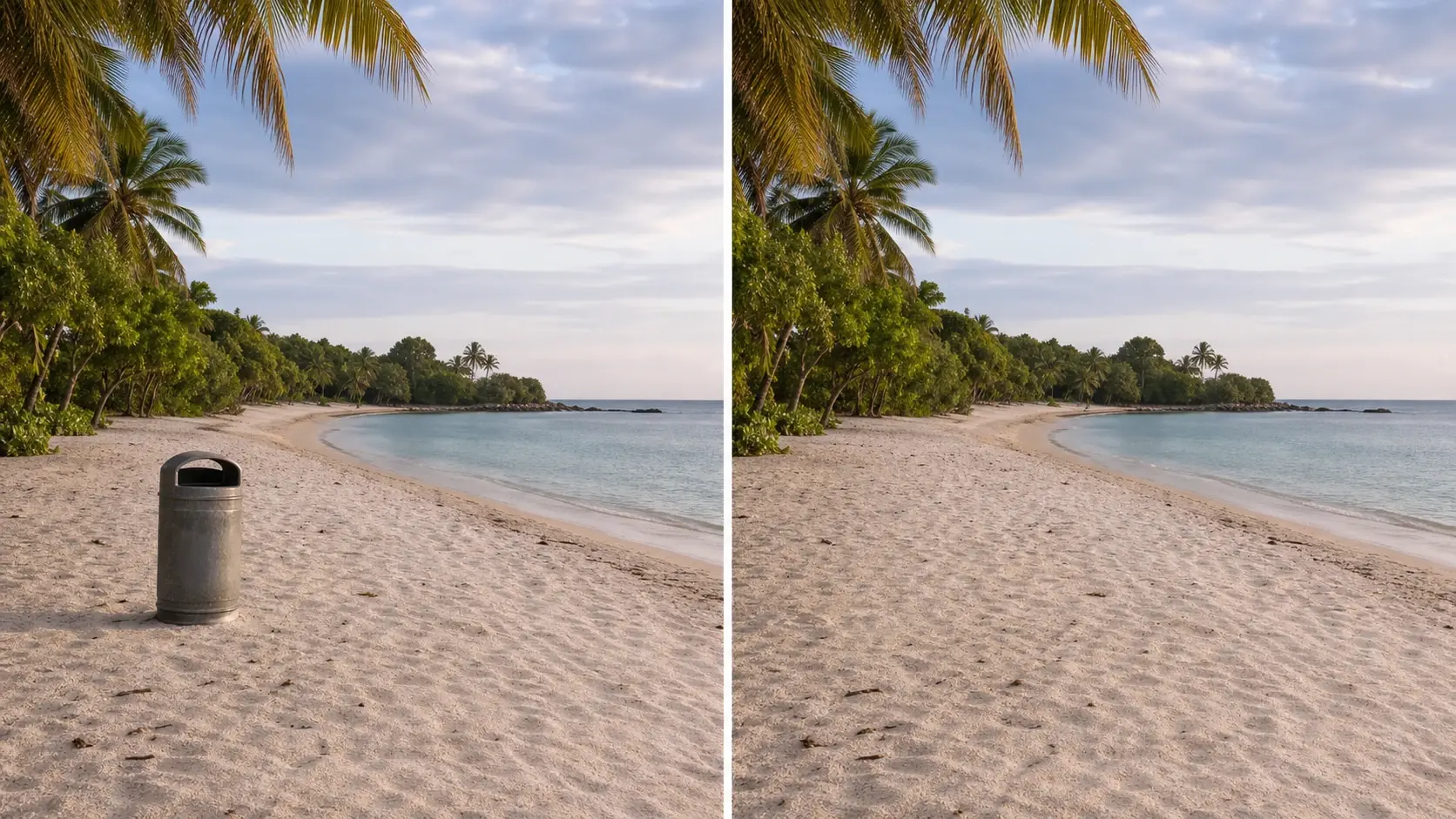
Photo of a beach with a stray trash bin brushed over and erased by the magic eraser

Who Reaches For The Magic Eraser Tool

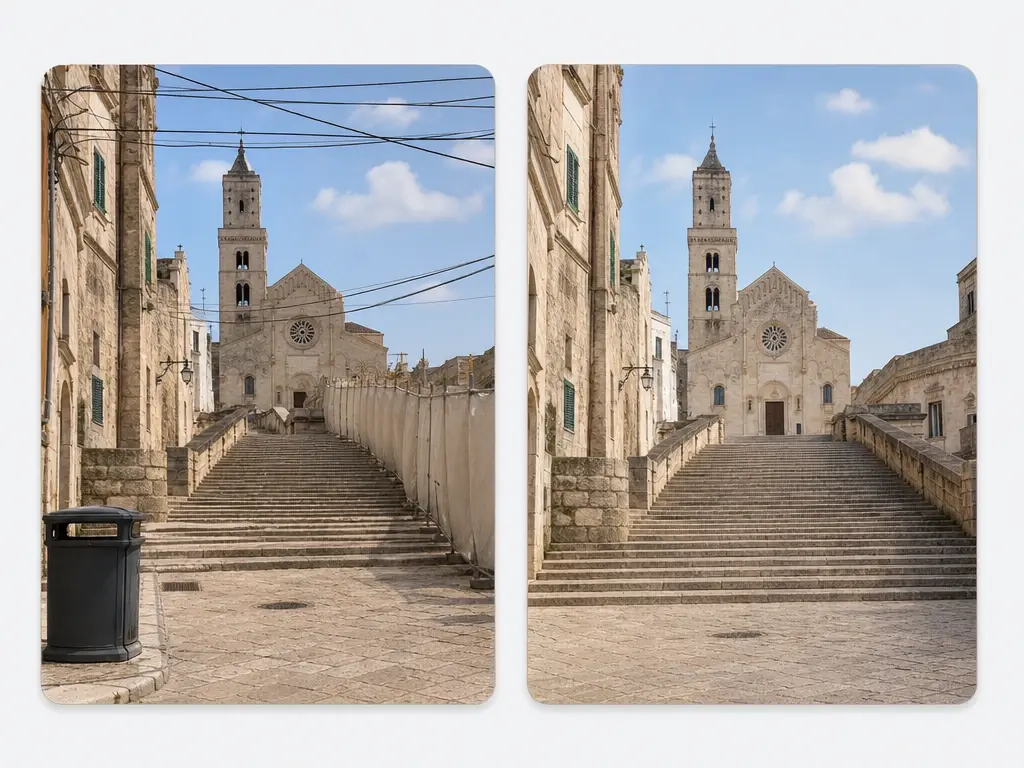
Landmark photo with a bin and overhead wires erased and stone steps rebuilt behind

Travellers clearing clutter from holiday shots

You came home with a good composition spoiled by a bin at the kerb, a tangle of overhead wires and a construction hoarding running along the edge. Brush across each of those and the magic eraser rebuilds the stonework and sky behind them from the surrounding scenery, so the shot keeps the view you travelled for.

What The Magic Eraser Gives You

Every VideoAI magic eraser removal starts with you choosing the target, either by brushing it or naming it, and ends with a rebuilt background at your original resolution.

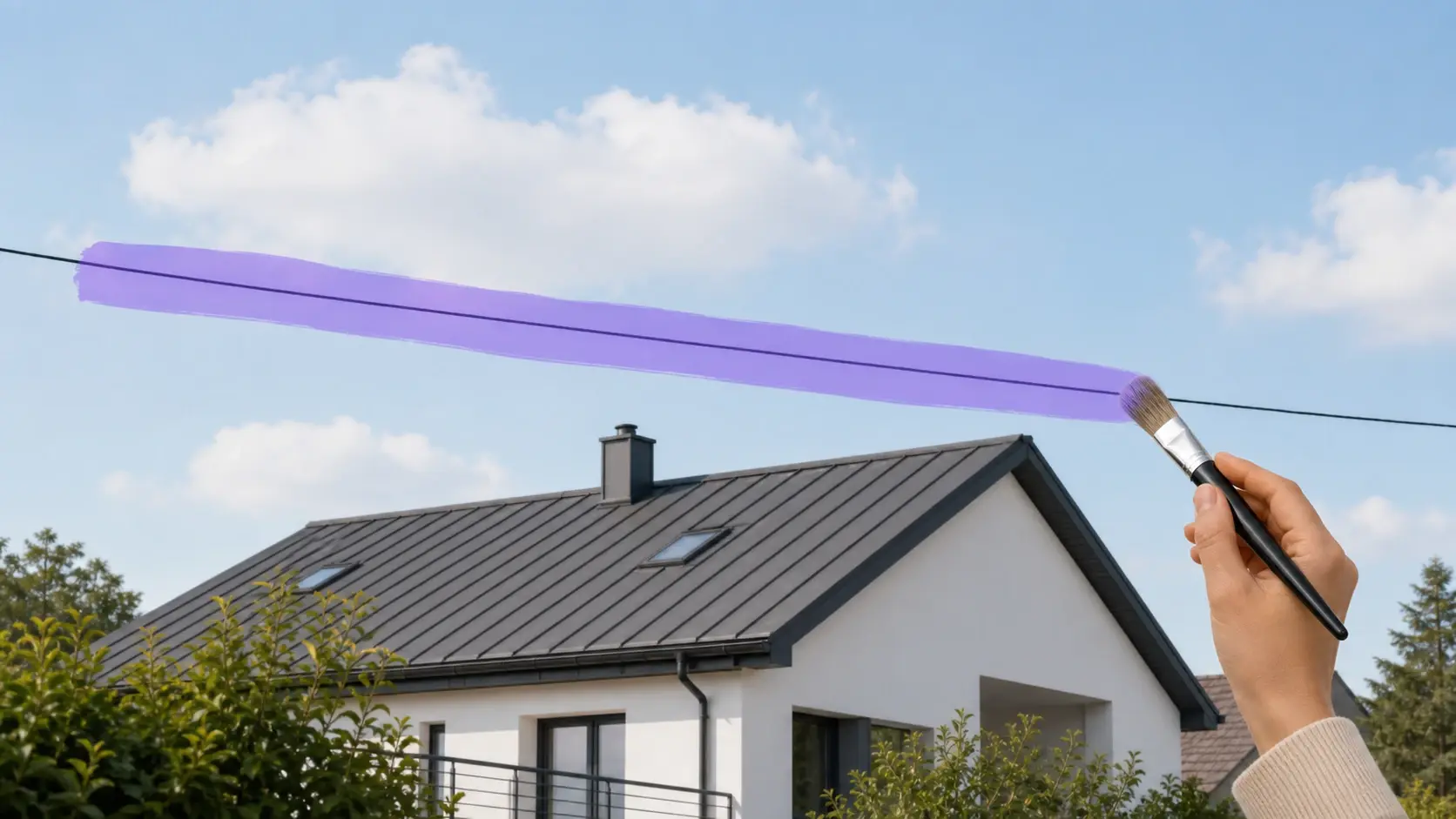
Brush stroke covering a power line across a rooftop photo before removal

Brush the area away

Drag the brush over an object, a passerby, a power line or a blemish, and the magic eraser follows the area you paint. You stay in charge of the target, which is why a busy magic eraser photo with several problems can be handled one selection at a time.

Text prompt describing the bin on the left of a park photo for removal

Describe it instead of painting

Some things are fiddly to trace by hand, so you can write what to delete instead, such as the bin on the left. This prompt route makes the ai magic eraser useful on thin or awkward shapes where a brush stroke would spill into the parts you want to keep.

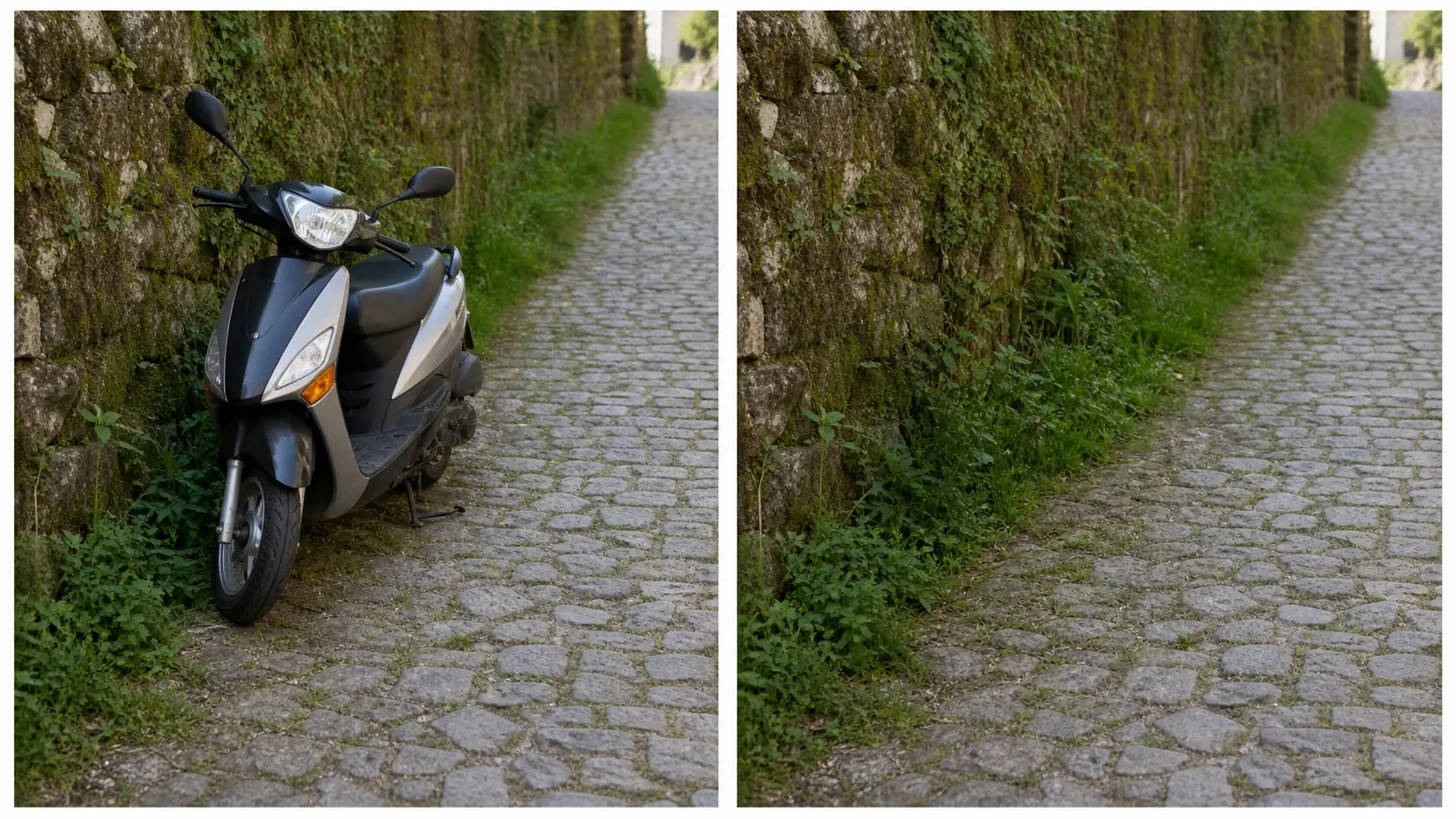
Close view of rebuilt cobblestone and grass where a parked scooter used to sit

Background filled back in

After the magic eraser pass, the gap is rebuilt from what surrounds it, so brickwork, sand or foliage continues across the patch instead of leaving a flat smear. Since this is a generated reconstruction, a busy or irregular background can take another magic eraser pass to settle.

Detail crop of a 4K export showing fabric texture retained after object removal

Original quality kept, up to 4K

The magic eraser returns the photo at the resolution and sharpness you started with rather than a shrunken copy, and export reaches 4K. Your uploads stay in your workspace so you can reopen a shot later, and finished images are cleared for commercial use.

Three Magic Eraser Steps To Download

You pick the target and the magic eraser handles the removal and the fill, with room to refine before you save anything.

Upload panel holding a street photo saved to a personal workspace for editing

Step 01

Upload the photo you want cleaned

Bring in the shot that has something you would rather not see. It lands in your magic eraser workspace, which means you can come back to the same file later instead of uploading it again, and you can delete anything you have uploaded when you no longer need it.

Brush selection over a doorway sign next to a typed description of the same object

Step 02

Brush or describe what to erase

Paint over the object with the brush, or type a short description that points at it clearly, such as the sign above the door. Being specific matters here, because the magic eraser follows the target you name rather than deciding on its own what counts as clutter.

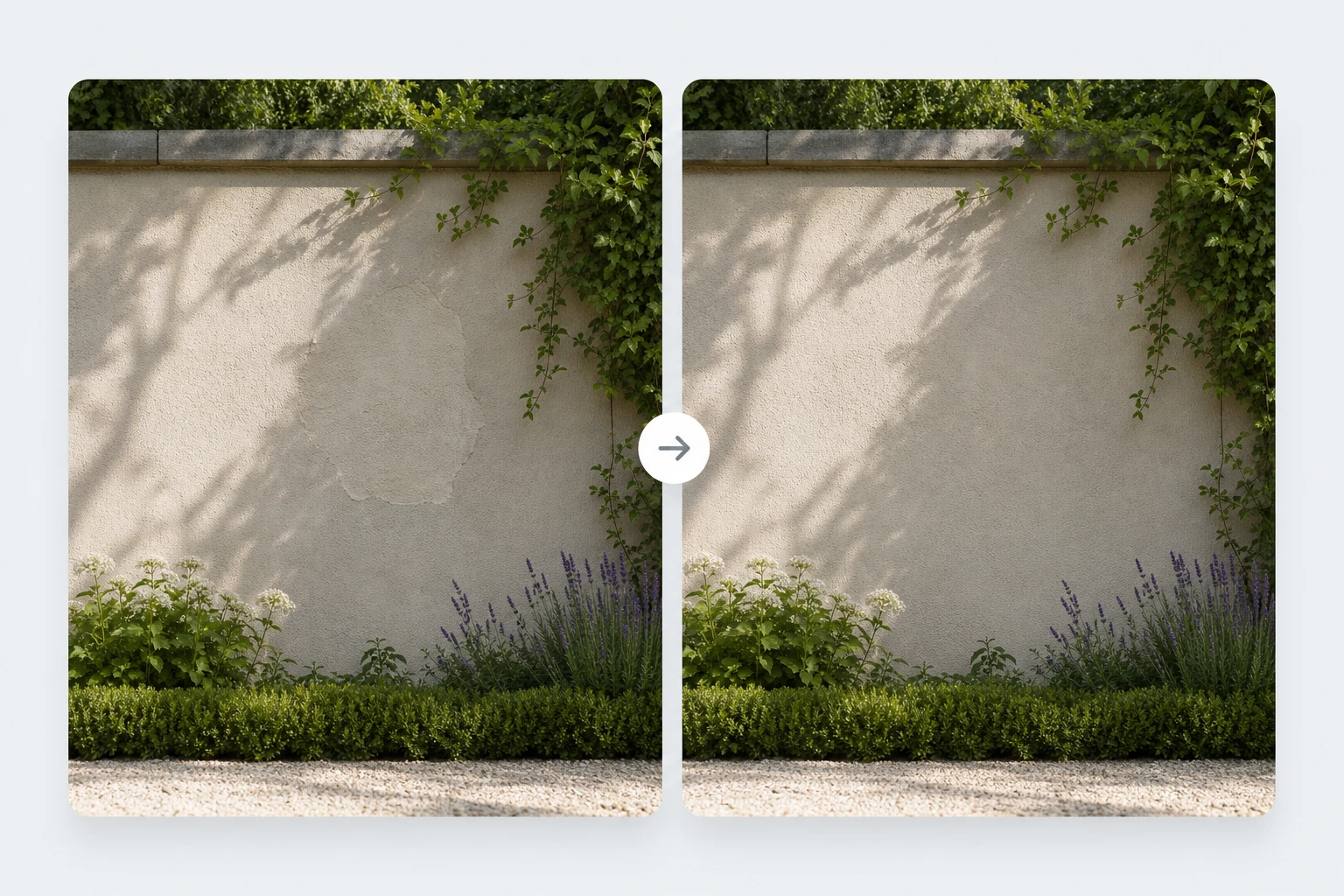
Preview comparing a first erase pass and a refined second pass on a garden wall

Step 03

Erase, check it, then refine

Run the erase and look at how the filled area meets the rest of the picture. If an edge still reads wrong, brush the same spot again and repeat until the magic eraser settles it, then download the result at your original quality and up to 4K.

Everyday Magic Eraser Cleanups People Run

A few situations where naming one piece of clutter and letting the background rebuild behind it changes how the whole picture reads.

Remove Shadow From Photo In Harsh Light

Side light and low sun drop your own silhouette or the shadow of your phone straight across the subject. Brush over the shadowed area and the magic eraser takes it out along with anything else in that selection, with the covered ground, wall or table surface rebuilt from the lit parts around it. Reach for this when the exposure is fine and only the cast shadow is spoiling the frame.

Landmark Shots On A Travel Day

The arch you queued for arrives with a wheelie bin at its base, cones left behind by a work crew and a sandwich board angled into the corner. Take those out one magic eraser selection at a time and let the paving and stonework fill in behind them. The payoff is a frame that matches what you remember standing there, not whatever the kerb was holding that morning.

Interior Shots For Rentals And Listings

Wires trailing down a wall, a bin by the door, a scuff on the paint: small things, but they make a room read as unloved. Clearing them with the ai photo eraser leaves the architecture and light intact while the distractions go, which is usually all a room photo needs before the magic eraser work goes live.

Prepping Old Family Pictures

Scanned prints often carry more than age, with tape marks, stray objects and clutter propped in the corner of the shot. Run the magic eraser over those first so later work sits on a cleaner picture, and keep the scan at full resolution while you do it.

Questions About The Magic Eraser Online

The magic eraser is an AI editing tool that removes something you select from a picture and rebuilds the background where that thing used to be. You mark the target with a brush or describe it in words, the selected content is removed, and the gap is filled from the surrounding image. It shares a name with a household cleaning sponge, but this one only works on photos.

Check the current plans on the site before you count on any particular tier, since pricing changes and is listed there rather than here. What is settled is what this photo eraser itself gives you: original resolution kept, export up to 4K, and images you can use commercially.

Access terms live on the pricing page, and using the magic eraser does require signing in to your account. Once you are in, your uploads sit in your workspace so you can pick up an edit later, and you can delete any file you have uploaded.

Most of the time the patch blends in, because the magic eraser builds the fill from the colours, texture and lines immediately around it. This is a generated reconstruction rather than a recovery of hidden pixels, so a busy or irregular background will not always land on the first try. Brushing the same area again and running another pass is the normal fix.

Objects, people walking through the frame, clutter, power lines, signs, blemishes and cast shadows are all fair targets, since the magic eraser works from whatever region you mark. Watermarks and text sit outside this page and belong to a dedicated text removal tool. One thing worth stating plainly: content hidden behind pixelation or mosaic cannot be restored here.

Resolution and detail carry through the edit, so the download matches the file you started with rather than a compressed version, and export goes up to 4K. That matters when the same shot has to work as a print or a full screen image later.

Images you produce with this ai eraser can be used commercially, which covers listings, client decks and campaign material. For anything involving other people or private property, the usual rules about permission still apply on your side.
Clear One Thing With The Magic Eraser creative result ready to generate with VideoAI

Clear One Thing With The Magic Eraser

Upload a shot, mark what does not belong, and see the VideoAI magic eraser rebuild the background before you download it.

Get Started
Magic Eraser - Erase Objects From Photo - VideoAI